
Family accounts · MXN Karting
Their lap times.Their own account.Your rules.
Give your young racer their own Family Racer account: their own login, their own race history, their own personal bests.
You add them from your account and manage it from there. Who can follow them, what they can join, when the app goes quiet for the night, and whether the account is on at all.

 Coming soonAndroid
- Racers aged 13 to 17
- No email needed for your racer
- Free
Your rules
Privacy & permissions
- Private profile
- Locked: Always on
- Show in search
- Locked: Off
- Leaderboards
- Locked: Off
- Followers
- You approve
- Quiet hours
- You set
Who gets what
Two experiences. One family.
Whether it’s their first time behind the wheel or they’re chasing their next personal best, every racer deserves a place to track their progress. MXN gives young racers that place, and gives parents control over how they take part.
It’s still MXN Karting, and your racer gets the real thing, not a cut-down kids’ version. The difference is who holds the settings.
For parents
You’re
in control
- Add up to ten racers from your own account
- Approve every follow request yourself
- Choose what each racer can join: clubs, events, racing with friends
- Set quiet hours, and the app pauses for the night
- Pause an account, and resume it, whenever you need to
- See their week: sessions, posts, new followers, clubs joined
For young racers
Their racing
journey
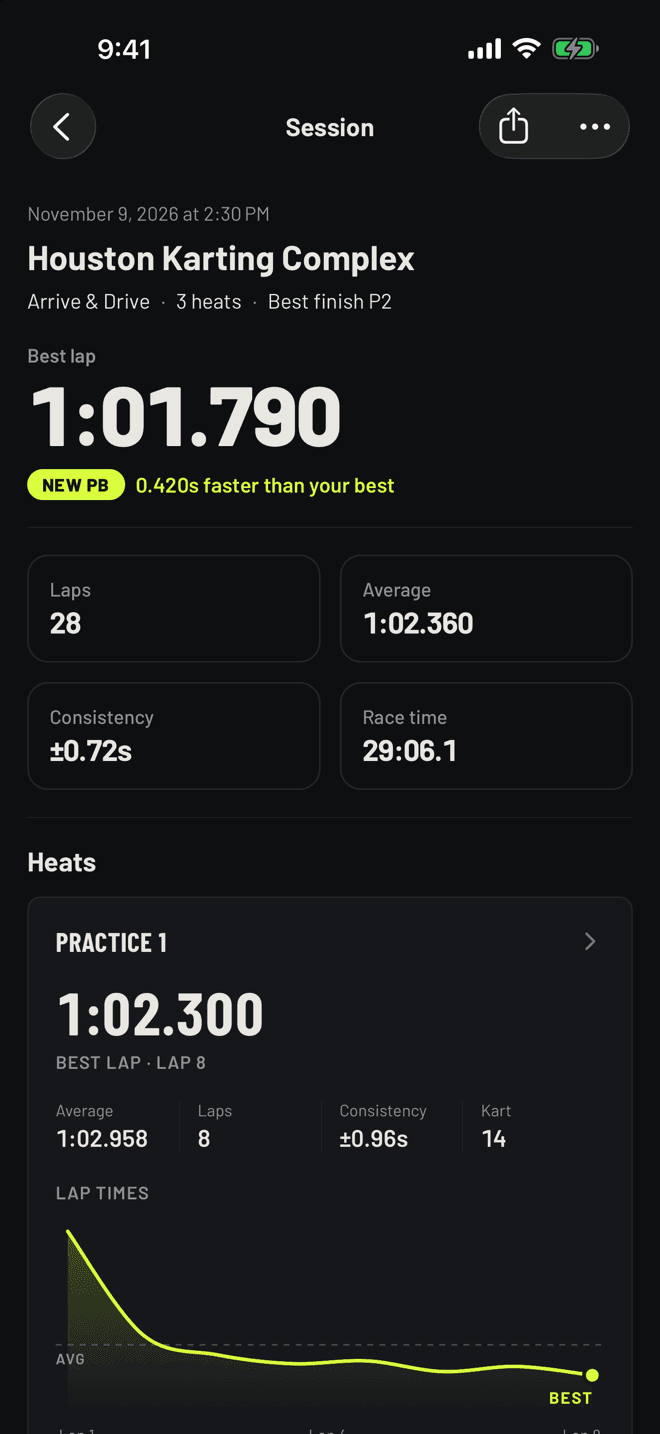
- Their own racer profile, race history and personal bests
- Their own login on their own phone, with no email address
- Every heat logged: scan the results sheet, pull it from the track’s timing, or type it in
- Every lap of every session, kept in one place
- Where their best laps rank at a track, without their name going on the board
- Followers, posts, clubs and events, each one when you switch it on
Privacy
Private first. You decide the rest.
Some settings are yours to change. Others are locked for every Family Racer account, and nobody can switch them: not you, not your racer. This is the list.
- Private, and it stays private
- Every Family Racer profile is private from the moment you add it. No setting makes it public, yours or theirs.
- Not in search
- Other people can’t find your racer by name.
- Off the leaderboards
- Their laps count toward their own history and personal bests. Their name doesn’t go on a track or global board.
- No comments, likes or share links
- A Family Racer account can’t comment or like, nobody can comment on its posts, and nothing of theirs can be shared outside the app.
- Follow requests come to you
- Your racer never sees them. Nobody follows until you approve, and you can remove a follower later.
- Lap data stays in the family
- Their sessions and lap times are for them and for you. Switch on rivals, and followers you approved can compare times with them. Switch on racing with friends, and the others in that race see their name and laps.
- You hear about new sign-ins
- You’re told when your racer signs in on a new phone, and when someone keeps getting their password wrong.
- Photos lose their location
- MXN removes location data from the photos a racer uploads.
What these controls don’t do
No app can promise your teen only ever meets people you know. These are the places where switching something on widens who can see them. The app tells you the same thing before you confirm.
- Turn on clubs, and the members of any club your racer joins see their name and photo. Anyone can join an open club.
- Turn on racing with friends, and anyone in a race can pass on its join code, so someone you haven’t approved may join and see them.
- You confirm that you’re your racer’s parent or guardian when you add them. MXN doesn’t check documents.
- Family Racer accounts are for ages 13 to 17. There are no accounts for under-13s.
What MXN stores, and who processes it, is in the privacy policy.
Getting started
Set up before the next heat
Everything starts from your own MXN account. Your racer doesn’t need an email address, and never has to sign up on their own.
Create your family
In the app, open Settings, then Family & Racers, and add your racer: their name and date of birth. A photo, kart number and home track are optional.
Activate their phone
Pick a username for them, then have your racer scan the QR code or type the one-time code on their own phone. They choose their password. A code lasts ten minutes.
They start racing
Their own Family Racer account from the first heat, starting as a Private Racer. You open things up when you’re both ready.
Permissions
Three ways to take part
Every racer starts private. When you’re ready for more, a preset switches on a set of features in one go, and each one keeps what the one before it allowed. Pick one to see what it changes, and what it never does.
Private Racer
0 of 6 switched on
- Off
Followers
People can ask to follow. You approve each request.
- Off
Posts
Can share posts with approved followers.
- Off
Rivals
See head-to-heads with racers at the same tracks.
- Off
Clubs
Can join clubs.
- Off
Event RSVPs
Can say they’re going to club and track events.
- Off
Race with friends
Can join a friends race at the track. Others in that race see their name and lap times.
Locked in every preset
- Private profileOn
- Show in searchOff
- LeaderboardsOff
- Comments and likesOff
- Share linksOff
Questions
Before you add a racer
Family Accounts are designed for parents and guardians managing racers aged 13 to 17. Each racer gets their own Family Racer account, and parents manage the account’s permissions and access.
Something else? The support page has a way to reach us, and we answer.
Contact supportWhat age can have a Family Racer account?
13 to 17. You add your racer with their date of birth, and the app only accepts ages in that range. MXN doesn’t offer accounts for under-13s.
Does my racer need an email address?
No. You add them from your own account, and they sign in with a username you pick and a password they choose. Nothing is emailed to them.
Can my racer use their own phone?
Yes. You activate it by showing them a QR code or a one-time code from your app. You can see which phones are signed in, sign out one of them or all of them, and you’re told when a new phone signs in.
Can I control who follows my racer?
Yes. Followers are off until you switch them on. After that, every request comes to you, not to your racer; only the people you approve can follow, and you can remove any of them later. For now, Family Racer accounts can’t follow other people themselves.
What are quiet hours?
A start and end time you set. Between them the app shows your racer “MXN is paused for the night” and nothing else. A race that’s already underway is allowed to finish.
Can I pause their account?
Yes, at any time. Pausing ends your racer’s sessions immediately: they’re signed out on their phone the next time the app checks in, and they can’t sign back in until you resume. Nothing is deleted while an account is paused.
What if my racer forgets their password or username?
Both come back through you. Reset the password from Family & Racers in your app: you get a new one-time code, your racer enters it on their phone and chooses a new password, which you never see. Their username is shown in your app too. There’s no reset email, because a Family Racer account has no email address.
Can my racer delete their own account?
Yes. A racer can delete their account from inside the app without asking, and you’re told when they do. You can delete a racer’s account from your side too.
Can I add more than one racer?
Yes, up to ten in a family. Each has their own account, login and settings.
What happens if I delete my own MXN account?
Your family is deleted with it, and so is every Family Racer account in it. The app lists each racer by name before you confirm.

The next generation of racers starts here
Get MXN Karting, add your racers, and bring your family into the paddock. Free on iPhone.
Coming soonAndroid